How to create a professional business card online (no designer, no Canva)
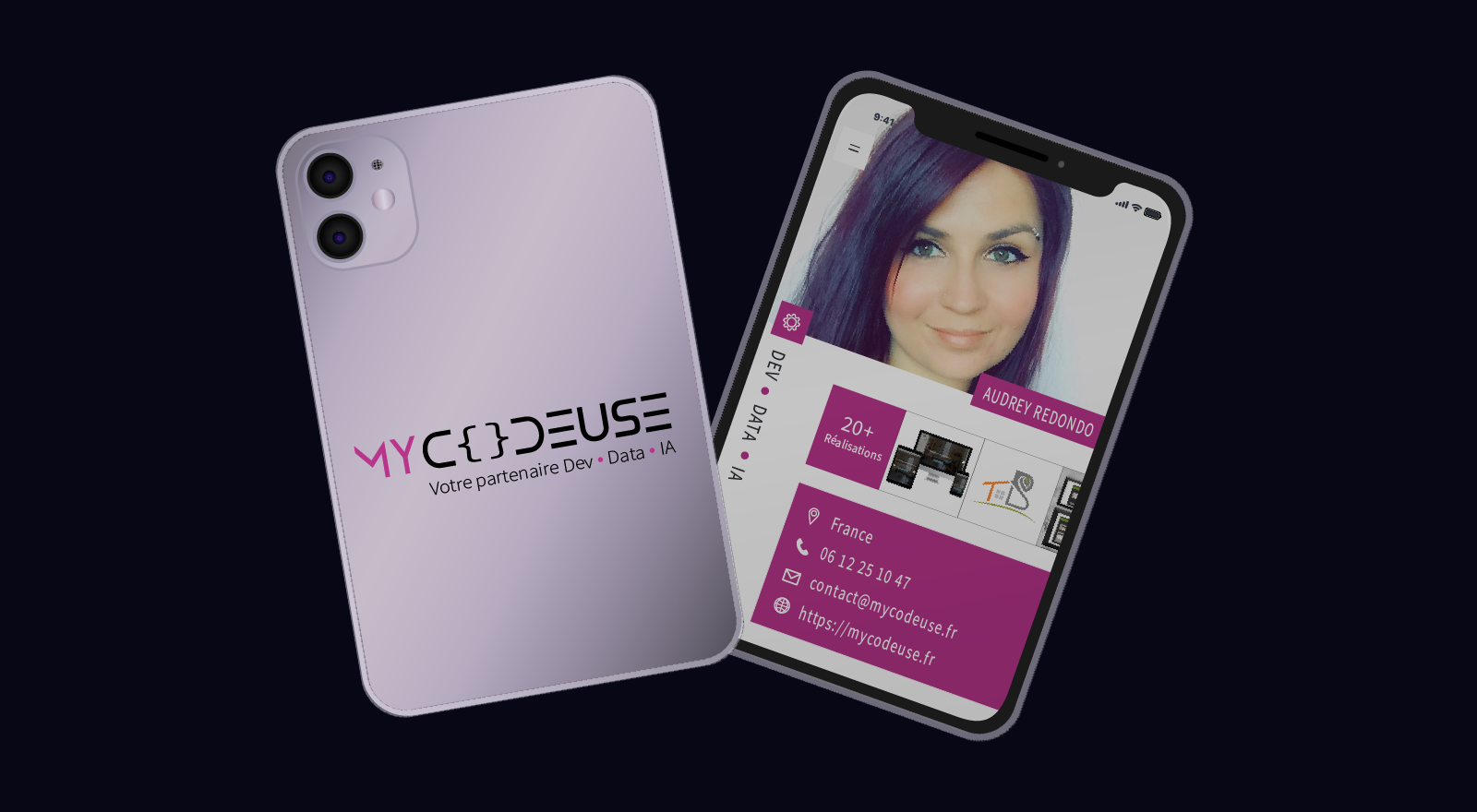
Creating a professional business card should not take an entire afternoon. Yet between locked templates, blurry exports, and tools that require you to start over every time you change a colour, that is often what happens. This article presents a different approach: describe what you want, get a visual at the right dimensions, customize it directly in the browser, download it.
The problem with current tools
Most online design tools rely on the same principle: you pick a template, you edit it by hand, element by element. It works. But it is slow, and the result often looks like what everyone else has already made.
Other concrete problems you have probably encountered:
- You want to change the font or background: you have to reopen the file, redo the adjustments, re-export.
- You hired a freelance designer: the turnaround is 48 to 72 hours, and the result may be nothing like what you had in mind.
- You used an AI tool to generate a visual: the result looks promising, but you cannot modify anything afterwards without restarting a full generation.
- You spent two hours on Canva: you stayed trapped inside the available templates, without really controlling the tool.
This is not a skill problem. It is a workflow problem.
What "real-time customization" actually means
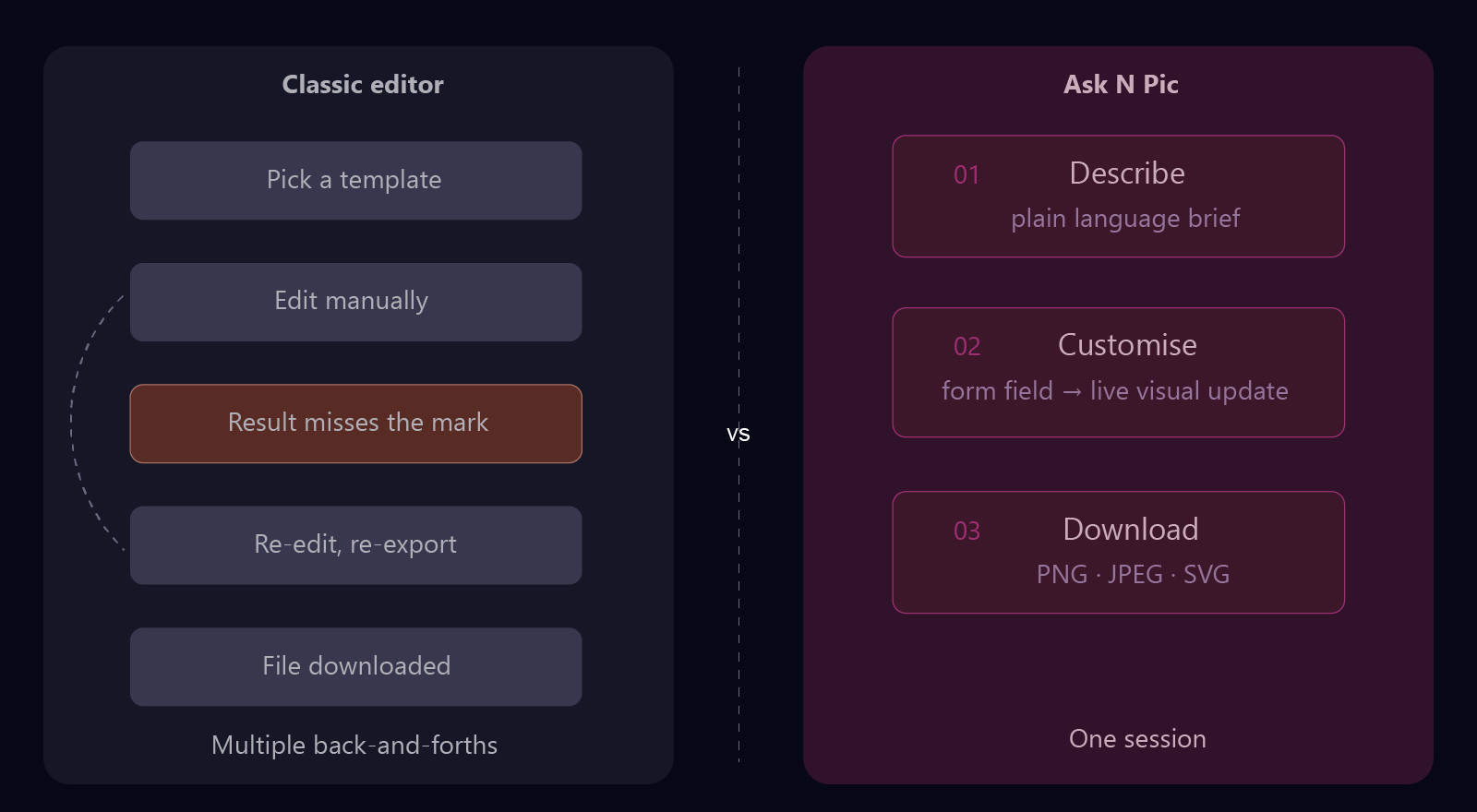
Most tools separate two steps: you configure first (you pick a template, you fill in fields), then you get a result. If the result does not work for you, you start over from scratch.
A different approach links the two. Once the visual is generated, a form appears automatically: it maps exactly to the elements present in the visual composition. Each field you modify, whether it is a text, a colour, a font or an image, updates the visual immediately. You do not re-generate. You do not reload. You see the result as you refine it.
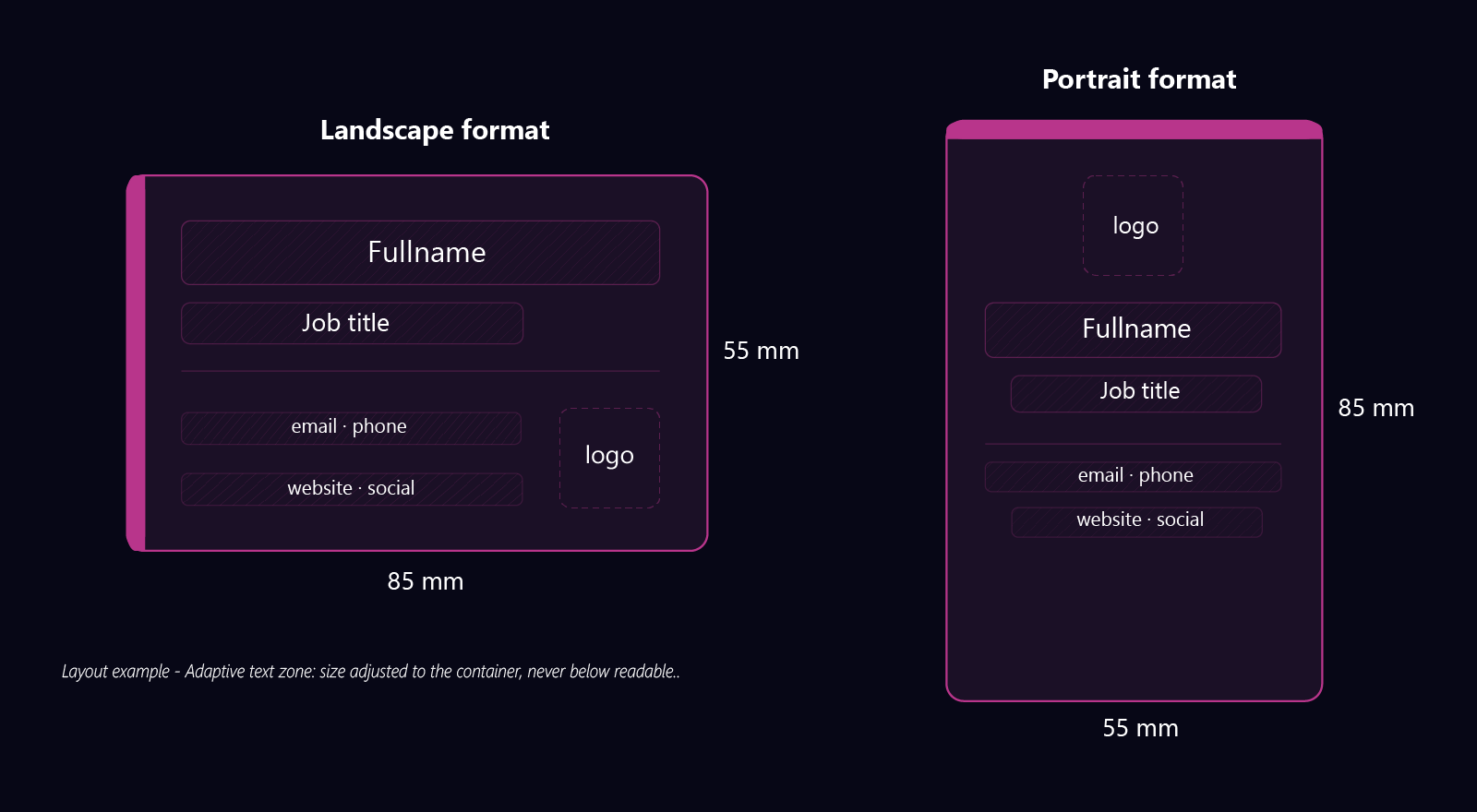
The template is set to standard business card dimensions (85 × 55 mm in landscape, or portrait depending on what you specify in your brief). Text sizes adapt to their containers and never go below readable: no unpleasant surprises at print time.
If you want to try it directly, Ask N Pic is opening its first beta spots: 2 to 3 free generations per day, on sign-up.
What actually makes a business card professional
Before choosing a tool, it helps to know what makes a business card genuinely professional, beyond font choice.
Visual consistency: colours, typography and spacing must be consistent front and back, and ideally aligned with the rest of your brand identity (website, social media, email signature).
Readability at small size: a business card is 85 × 55 mm. What is readable on a 24-inch screen can become illegible once printed. Text must remain readable at its actual size.
Export quality: a low-resolution JPEG export will be blurry when printed. PNG, high-quality JPEG or SVG export guarantees a clean result at any output size.
Adaptability: your number changes, your title changes, you launch a new project. A good tool should let you update your card without starting over from scratch.
Which tool for which use?
An honest overview of the available options, depending on your situation.
| Tool | Strength | Main limitation |
|---|---|---|
| Canva | Large template library | Imposed templates, tool-dependent editing, non-trivial learning curve |
| Figma | Power and precision | Built for designers, steep learning curve |
| Vistaprint | Integrated print ordering | Locked templates, limited customization, designed for physical printing |
| Adobe Express | Adobe asset quality | US infrastructure subject to Cloud Act1 |
| Ask N Pic | Plain language brief, real-time editing, original templates | Beta coming soon — a few spots available |
How Ask N Pic approaches this
The starting point is simple: describing what you want is more natural than building it manually in an editor.
The workflow:
Describe
Name, job title, colours, mood, preferred format (landscape or portrait), what you want to highlight.
Customize
A form appears automatically after the graphic composition is generated. Texts, colours, fonts, images, element visibility: every change in the form applies immediately to the visual.
Download
Export your graphic composition as PNG, JPEG or SVG depending on your plan.
Everything happens in the browser. No installation, no third-party software.
Ask N Pic offers two entry points: generate a composition from a free brief, or choose from a selection of original professional templates designed to go beyond what automatic generation alone can produce. In both cases, real-time customization works the same way.
The AI model used is open source and self-hosted in Europe: your briefs never leave our infrastructure. Hosting is exclusively European (Infomaniak, Switzerland), outside US jurisdiction.
In summary
Creating a professional business card online is achievable without a designer and without mastering a complex tool. The criteria that make the difference:
- Immediate visual update from the form, without re-generation
- Export quality (PNG, JPEG or SVG depending on the plan), suitable for printing
- A template at standard dimensions, with adaptive text that stays readable
- Data localisation if you handle professional or client information
Beta sign-ups are open. If you want to test the workflow and get priority access at launch, join the list.
Frequently asked questions
Business card online: your questions
Can I create a double-sided business card with Ask N Pic?
Yes. You can describe each side separately in your brief and customize them independently. Export is available side by side, in PNG, JPEG or SVG depending on your plan.
Are the generated visuals the right dimensions for printing?
Visuals are generated at standard business card dimensions (85 × 55 mm in landscape, or portrait depending on your brief). Text size adapts automatically and never goes below readable: no unpleasant surprises at print time.
Is my data protected?
Your briefs and visuals are never transmitted to third parties. Ask N Pic is hosted exclusively in Europe (Infomaniak, Switzerland), outside the scope of the US Cloud Act. No advertising tracking, no third-party pixels. Complete data deletion within 30 days upon account closure.
What is the difference with Canva?
Canva offers preset templates to edit manually within its interface, with a dependency on the tool and a learning curve. Ask N Pic generates a graphic composition from your description, then lets you modify each element in real time through a form. You are not locked into existing templates: the composition is built from your brief. Ask N Pic also offers original templates designed to go beyond what automatic generation alone can produce.
Create your business card in a few words
2 to 3 free generations per day. No installation. PNG, JPEG or SVG export. Hosted in Europe.
Join the beta